

Apex Photos
Change a photo: click it → Replace → Upload → then click Update (top right). Hard-refresh the site after ~10 seconds.
If you see “unexpected or invalid content,” stop and tell Vision — don’t click into Code editor. Logo is under Appearance → Editor → header.
Home hero
Big cover photo at the top of the homepage (also used on Siding in places).
Home collage — windows
Tall collage photo (window install).

Home collage — siding
Collage photo (siding install).

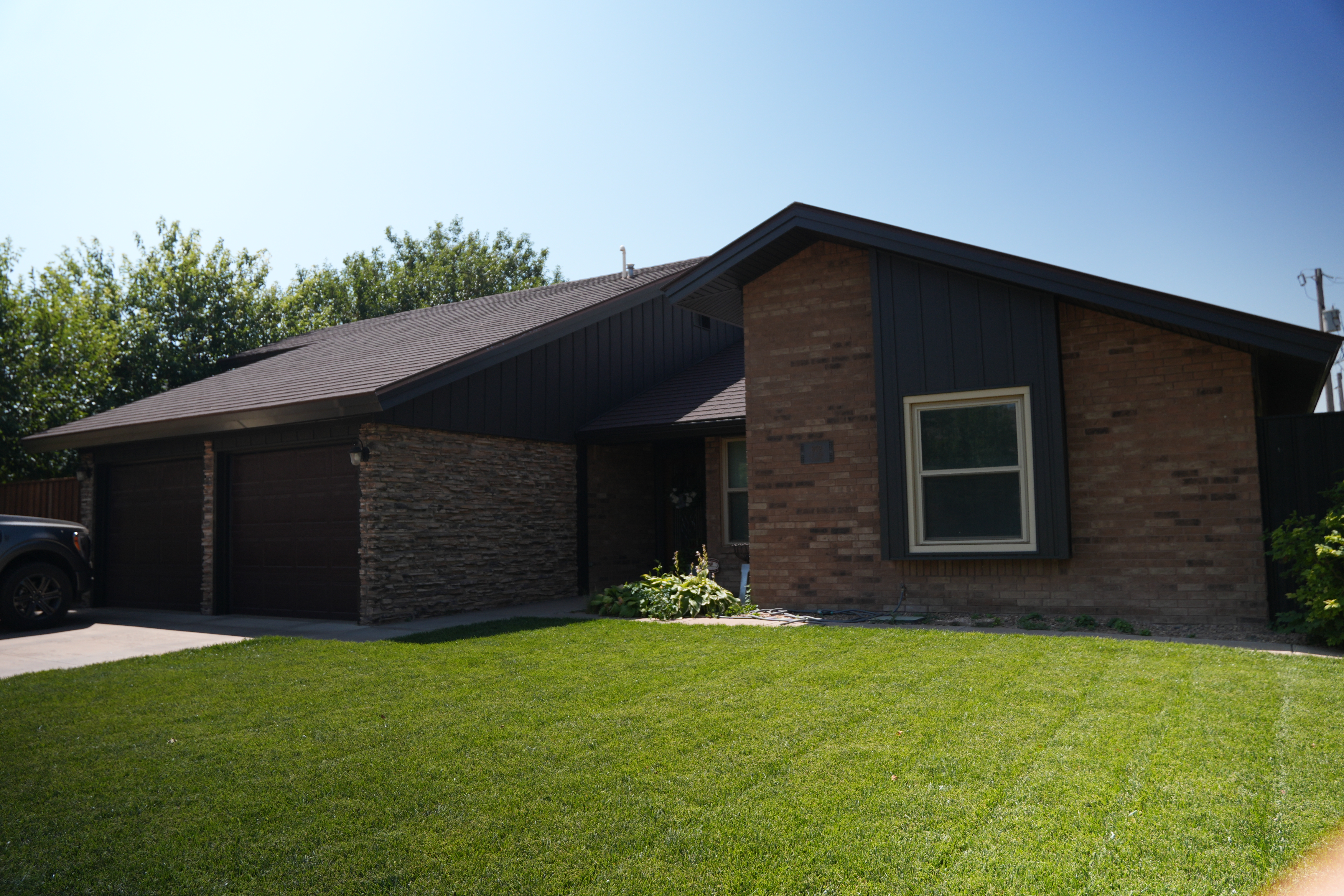
Home collage — garage / exterior
Collage photo (garage / completed exterior).
Home photo stack — main
Large photo beside the mid-page CTA (also Doors hero-ish).

Home photo stack — detail
Smaller detail photo in the stack (also on Windows).

Home showcase 1
Showcase grid photo.

Home showcase 2
Showcase grid — soffit/fascia.

Home showcase 3
Showcase grid — completed project.

Windows — primary job photo
Main Windows service photo.

Windows — secondary job photo
Second Windows section photo.

Windows — styles sheet
Black “Our Window Styles” graphic.

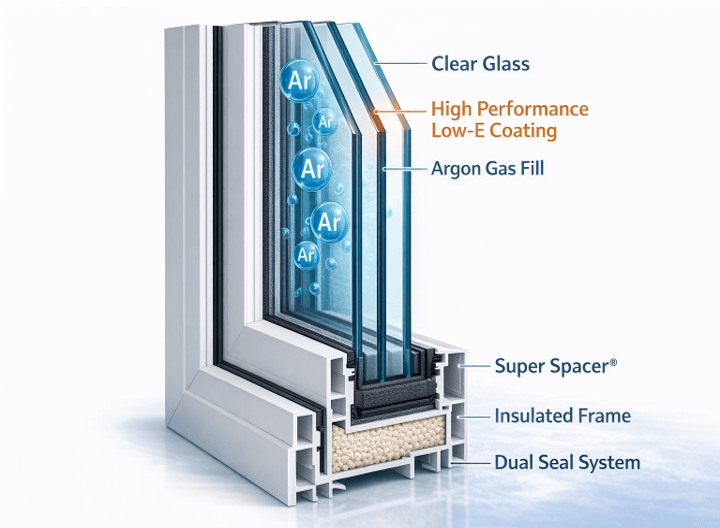
Windows — glass system diagram
Product cutaway / glass system diagram.
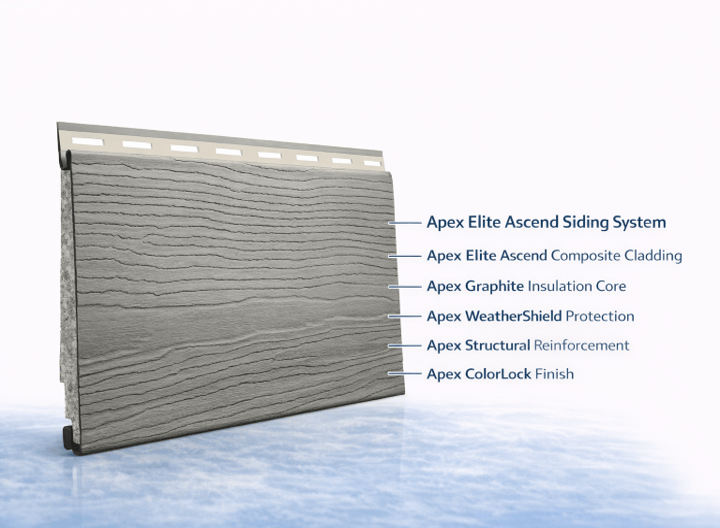
Siding — product diagram
Ascend siding system graphic.
Siding — job photo
Finished siding / trim photo.

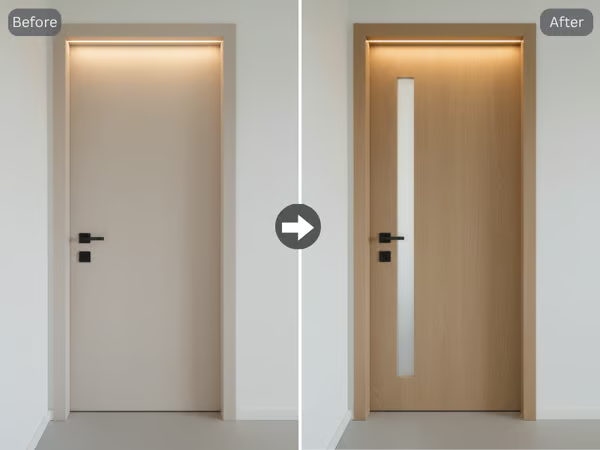
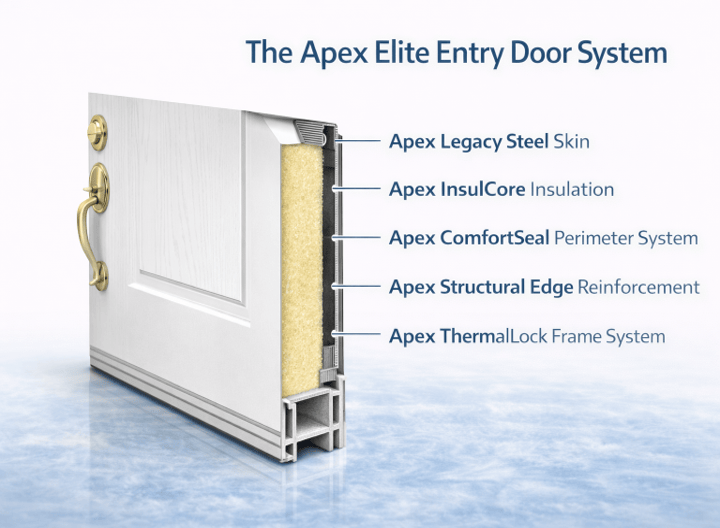
Doors — product diagram
Entry door system graphic.
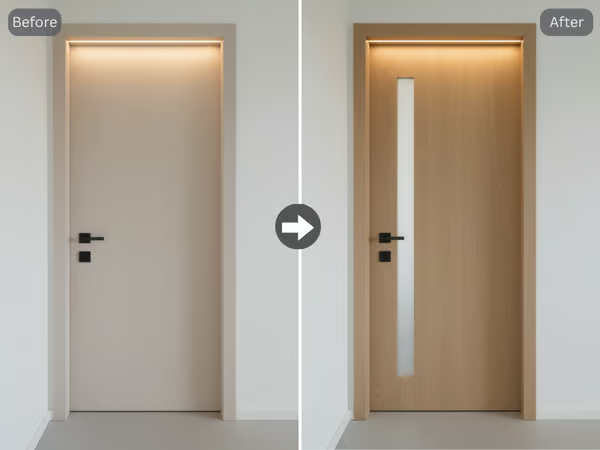
Doors — job photo
Completed exterior / door job photo.
Meet the Team — photo 1
Team page portrait 1.

Meet the Team — photo 2
Team page portrait 2.
